> ## Documentation Index
> Fetch the complete documentation index at: https://docs.getporter.ai/llms.txt
> Use this file to discover all available pages before exploring further.
# AWS Bedrock
> Guide on connecting AWS Bedrock with Porter AI.
***
## Connect AWS Account
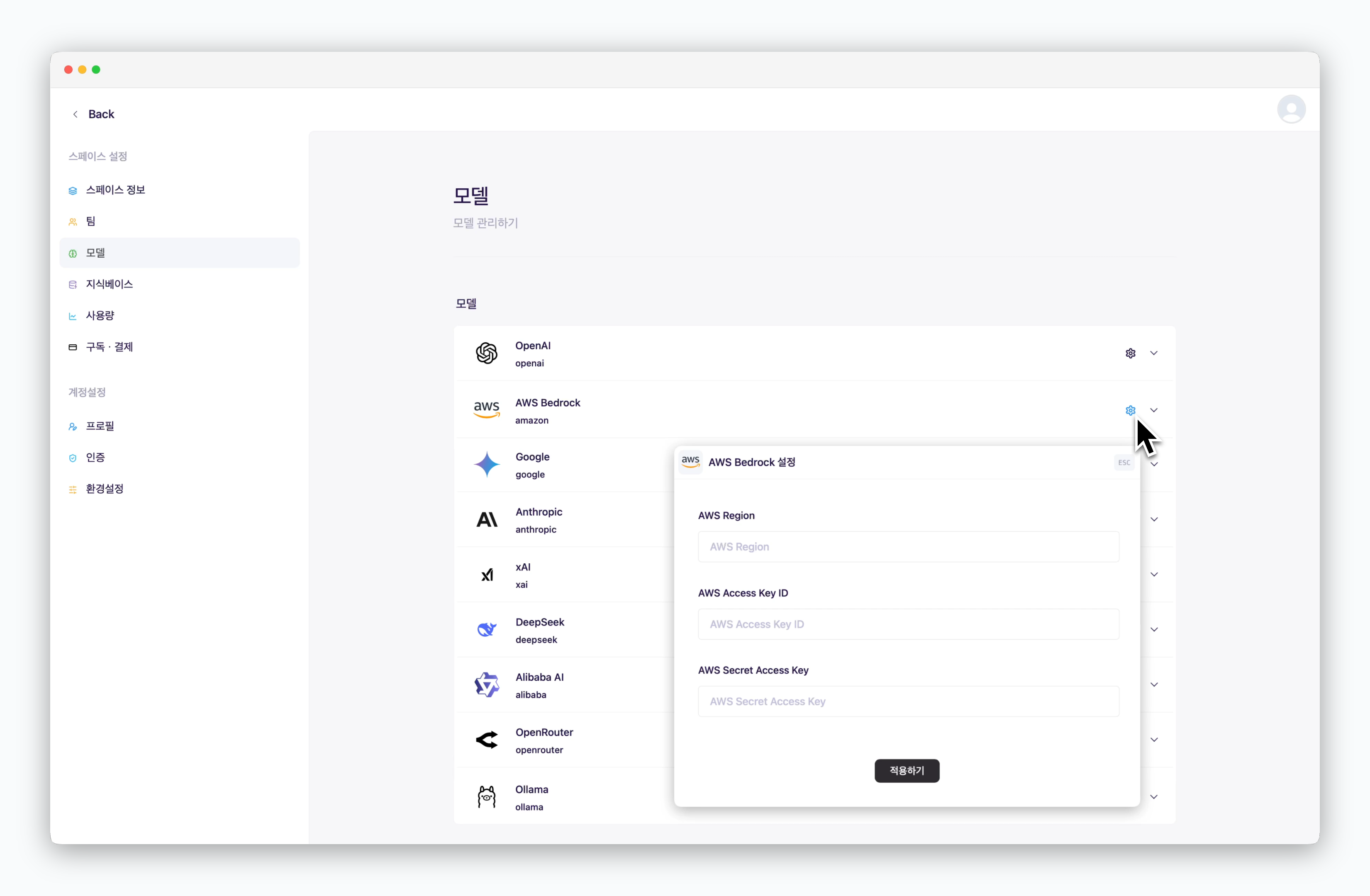 > In `Settings > Models`, click the icon for AWS Bedrock and enter your connection details including AWS Access Key ID.
## Add Models
> In `Settings > Models`, click the icon for AWS Bedrock and enter your connection details including AWS Access Key ID.
## Add Models
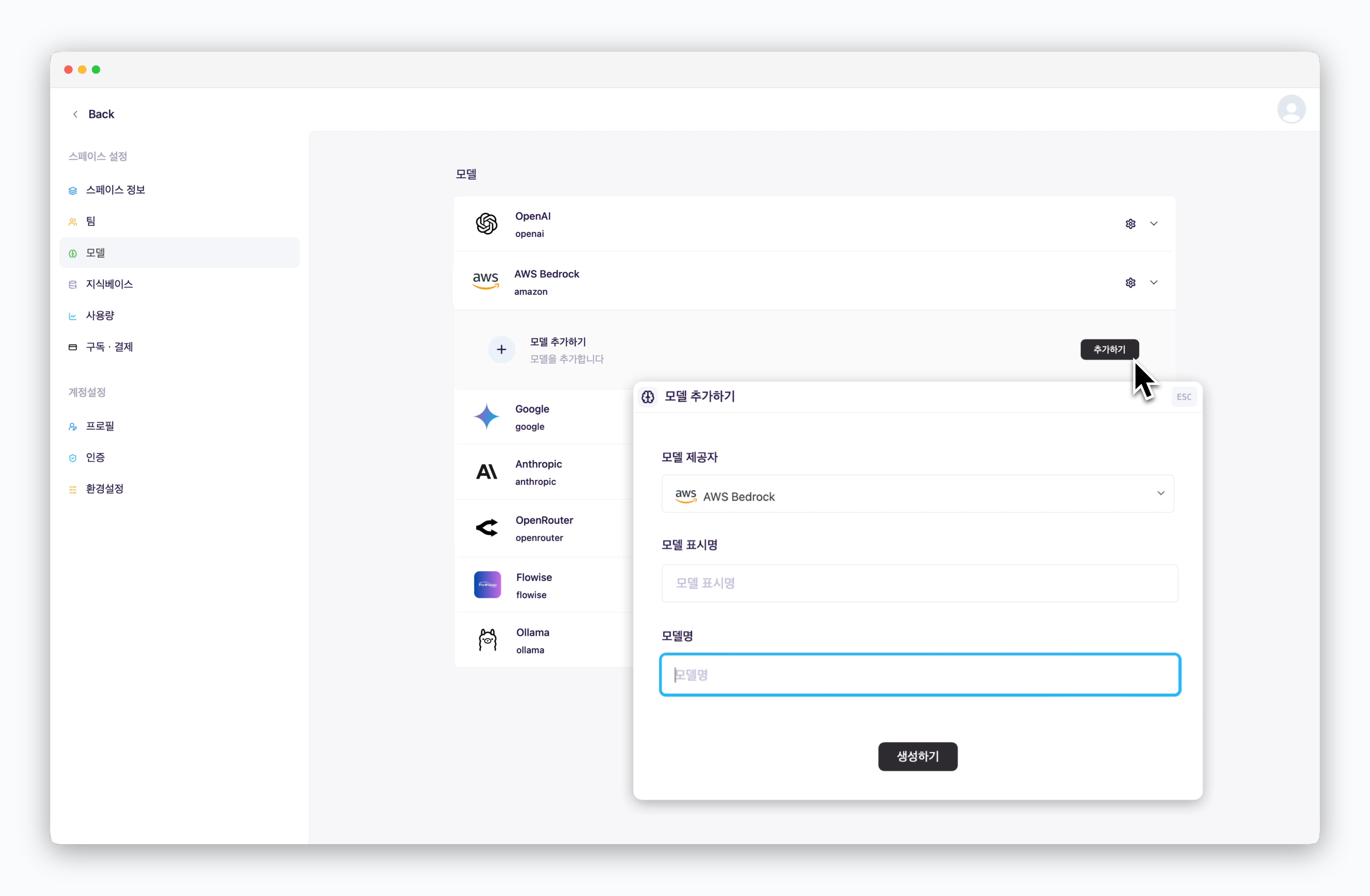 > After registering your AWS connection details, click the `Add` button to add a model as shown. The model display name can be customized and will be shown when selecting models in chats. For the model name, enter the model name configured in AWS Bedrock.