> ## Documentation Index
> Fetch the complete documentation index at: https://docs.getporter.ai/llms.txt
> Use this file to discover all available pages before exploring further.
# Knowledge Base (RAG)
> Guide on creating and managing knowledge bases.
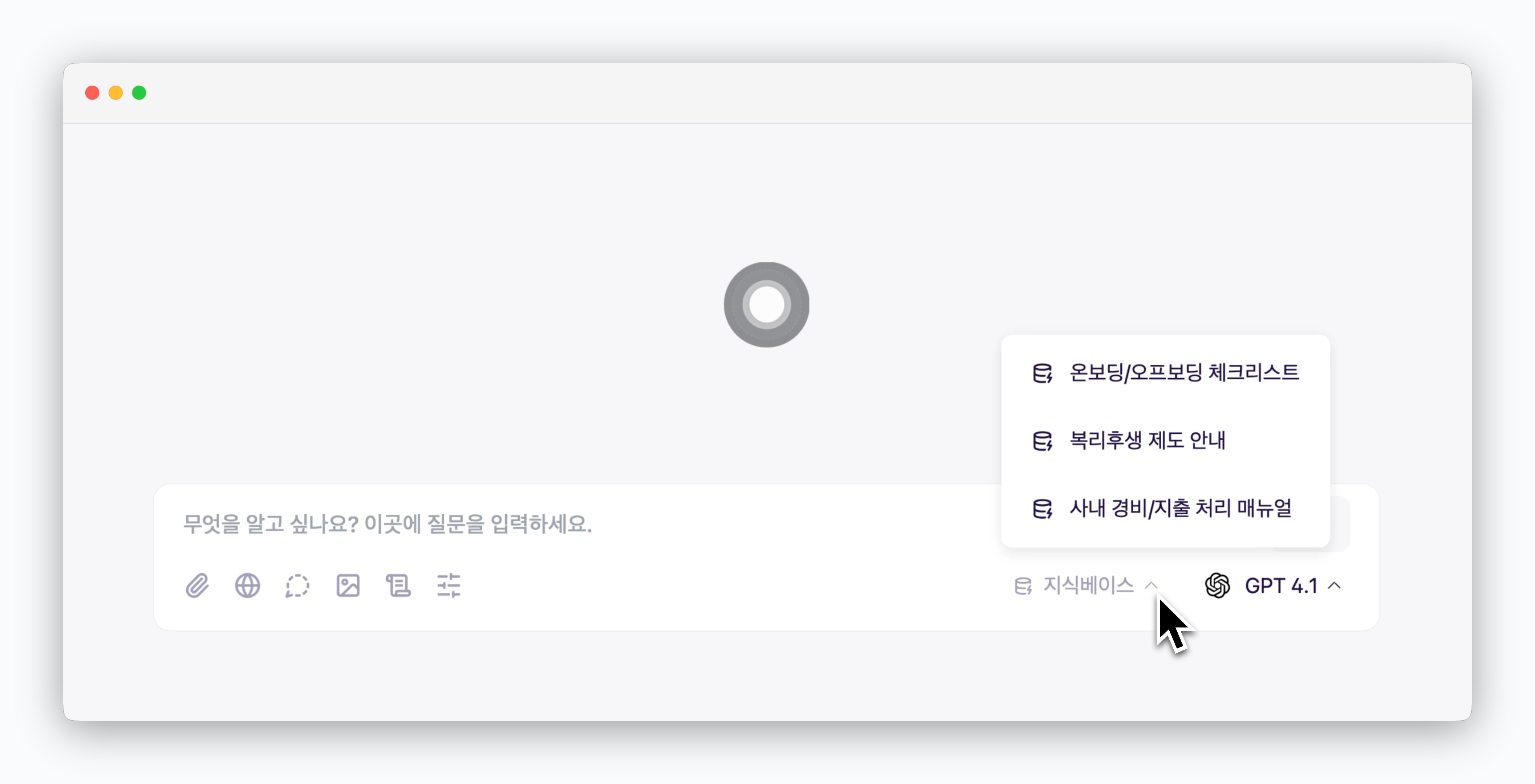 Build a knowledge base with documents or URLs in Settings, then select it during chats for AI to continuously reference that content.
***
## Add Knowledge Base
Build a knowledge base with documents or URLs in Settings, then select it during chats for AI to continuously reference that content.
***
## Add Knowledge Base
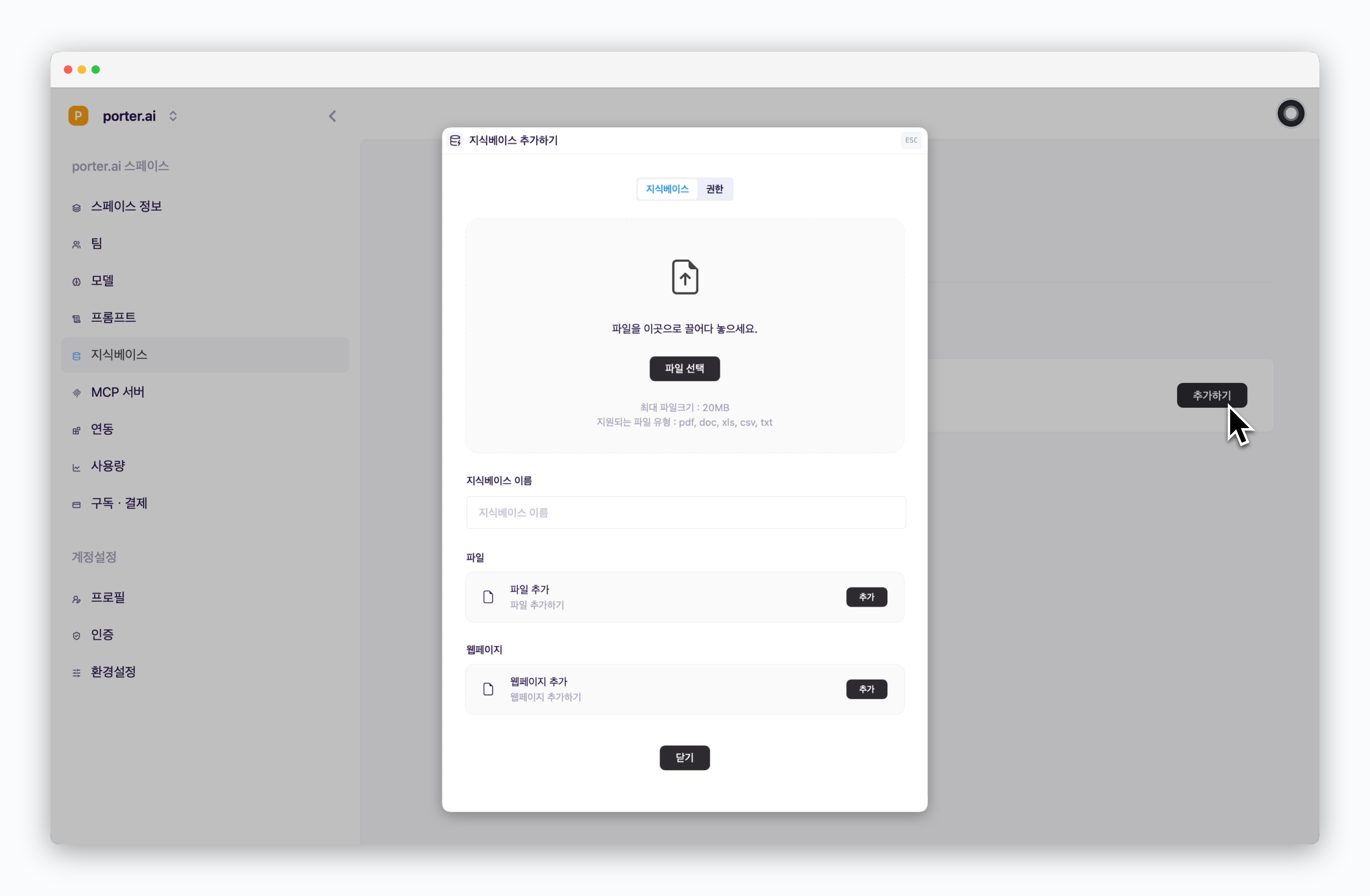 > `In Settings > Knowledge base`, Click `Add` to add document files and web pages to your knowledge base.
When adding web pages, only the specific URL page you input will be used as the knowledge base. Other pages from the same domain or linked pages are not included.
Adding content to the knowledge base consumes credits due to OCR processing, database management, and indexing operations.
## Set Access Permissions
> `In Settings > Knowledge base`, Click `Add` to add document files and web pages to your knowledge base.
When adding web pages, only the specific URL page you input will be used as the knowledge base. Other pages from the same domain or linked pages are not included.
Adding content to the knowledge base consumes credits due to OCR processing, database management, and indexing operations.
## Set Access Permissions
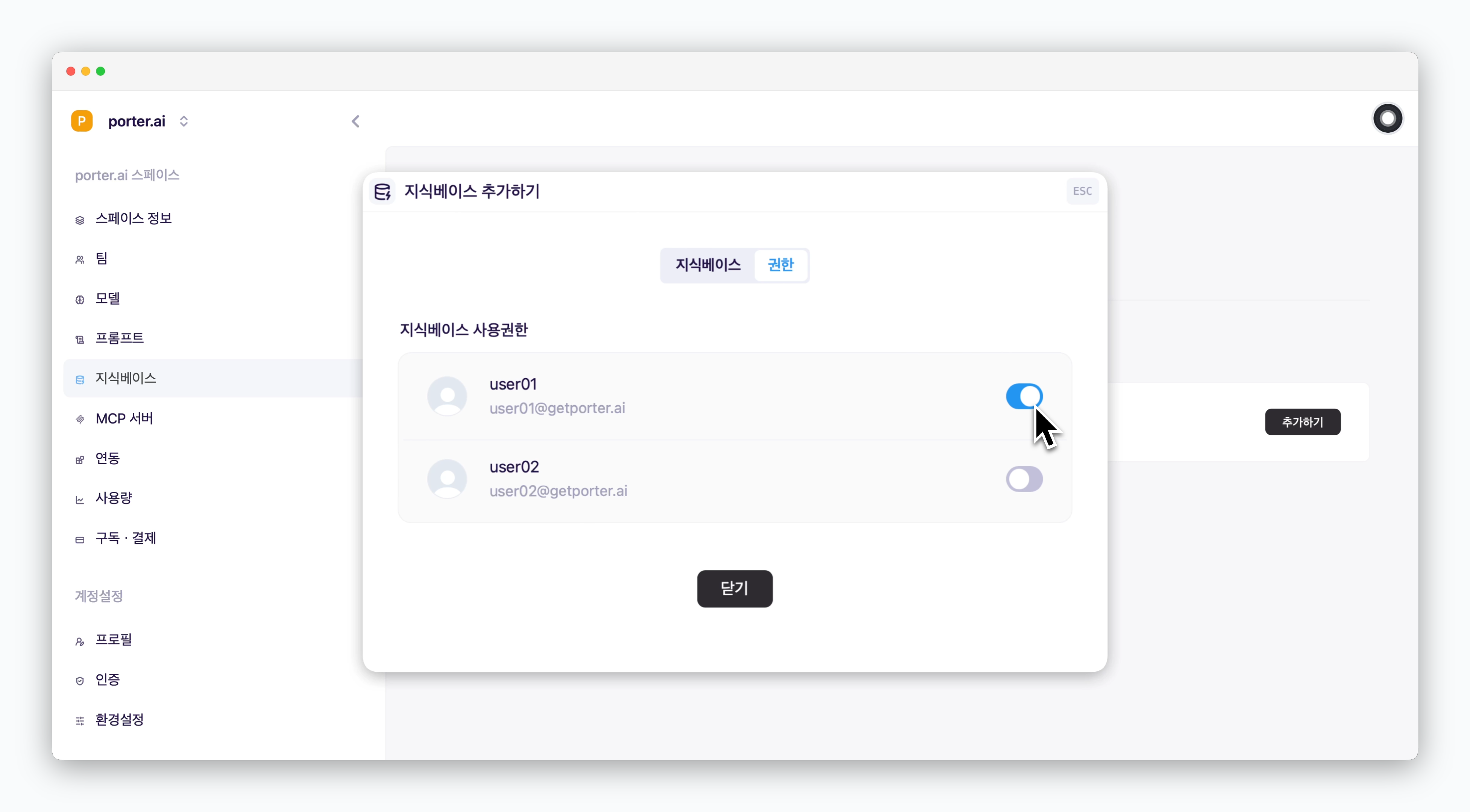 > When adding a knowledge base, you can grant access permissions to individual team members in the permissions tab.
## Manage Knowledge Base Visibility
> When adding a knowledge base, you can grant access permissions to individual team members in the permissions tab.
## Manage Knowledge Base Visibility
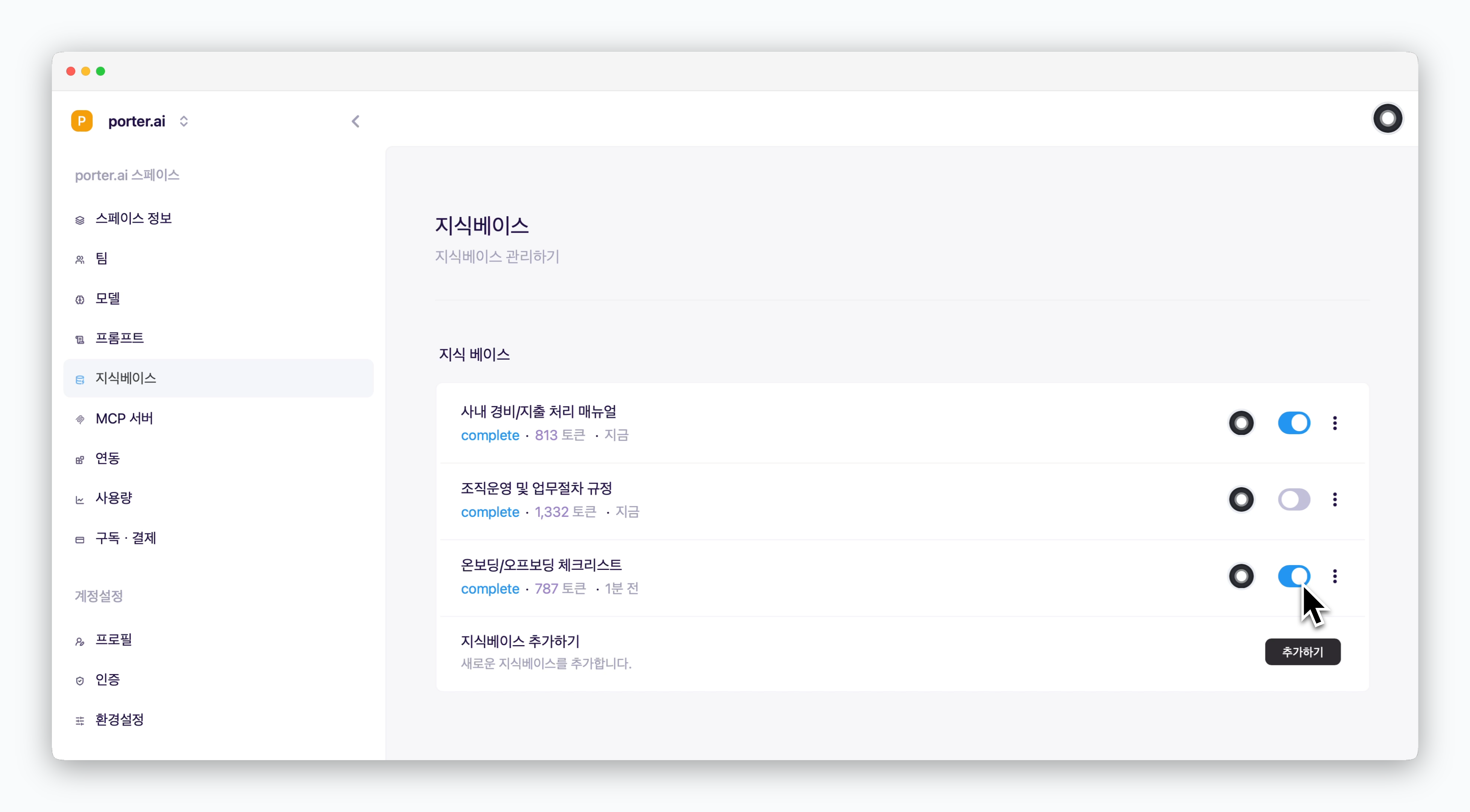 > You can configure whether each added knowledge base should be available for use in chat.