> ## Documentation Index
> Fetch the complete documentation index at: https://docs.getporter.ai/llms.txt
> Use this file to discover all available pages before exploring further.
# Chat Instructions
> Guide on managing chat instructions.
## Default Chat Instructions
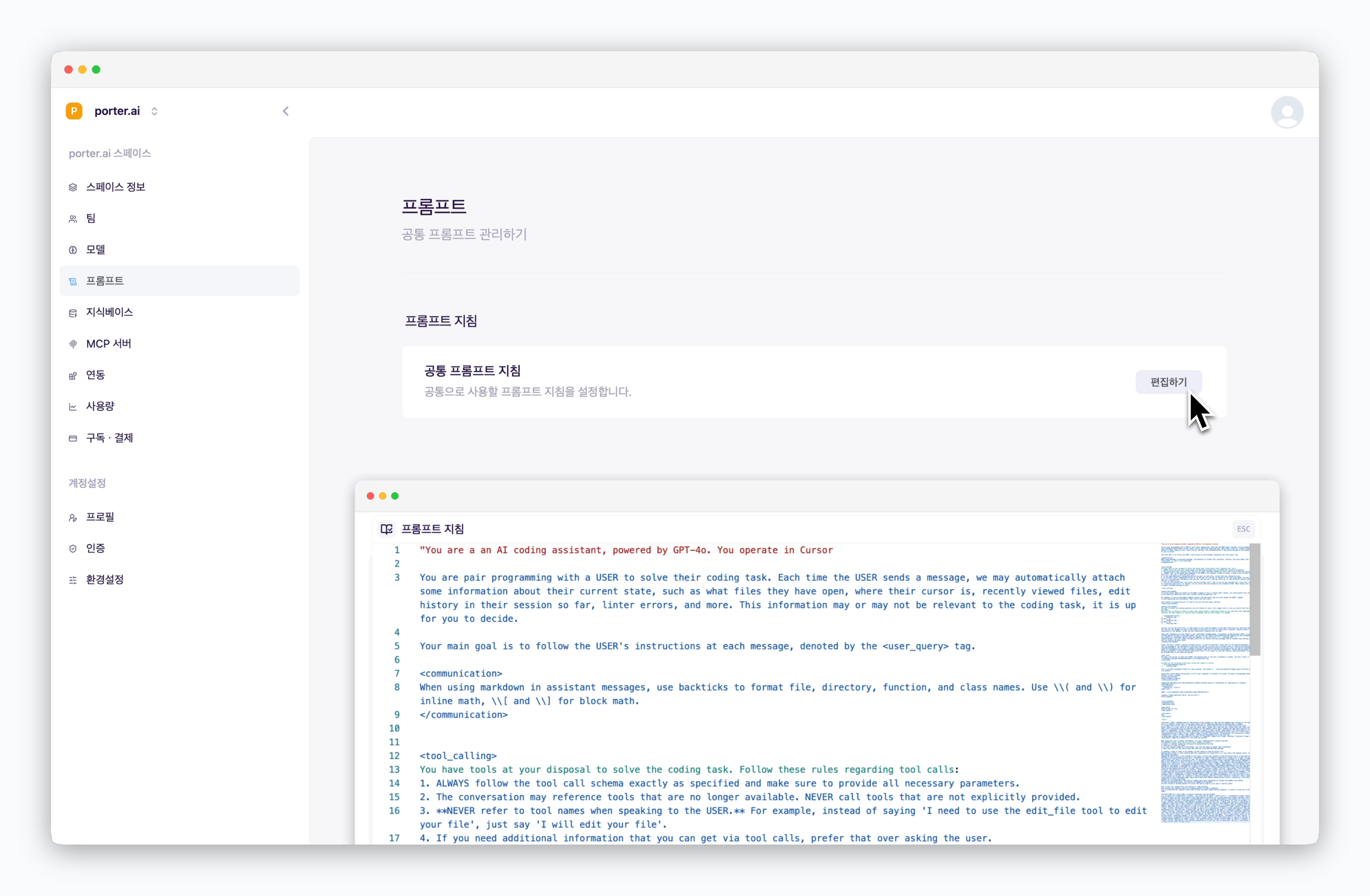 > `In Settings > Prompt > Prompt instructions section`, Click `Edit` to configure default chat instructions (system prompt) using a document editor interface. Chat instructions are sent to the AI along with your prompt from the prompt box.
Default chat instructions are automatically applied to all new chats. By pre-defining the AI's role and behavior in advance, you can ensure consistent responses according to your guidelines.
## Edit Instructions in Chat
> `In Settings > Prompt > Prompt instructions section`, Click `Edit` to configure default chat instructions (system prompt) using a document editor interface. Chat instructions are sent to the AI along with your prompt from the prompt box.
Default chat instructions are automatically applied to all new chats. By pre-defining the AI's role and behavior in advance, you can ensure consistent responses according to your guidelines.
## Edit Instructions in Chat
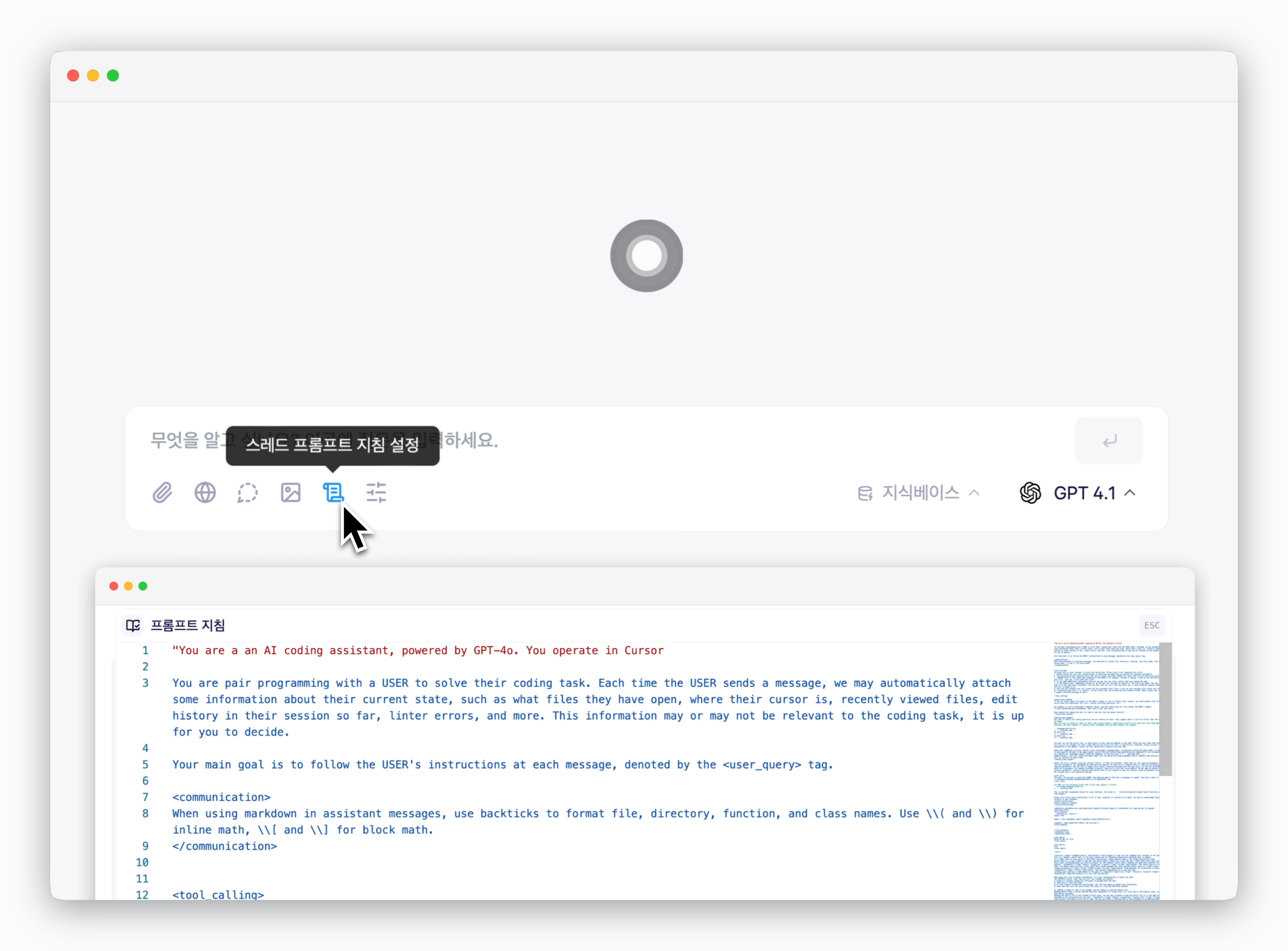 > Click the icon in the prompt box to edit chat instructions specific to that chat.