> ## Documentation Index
> Fetch the complete documentation index at: https://docs.getporter.ai/llms.txt
> Use this file to discover all available pages before exploring further.
# AIモデル
> スレッドで使用するAIモデルの設定および管理方法に関するガイドです。
***
## モデル追加
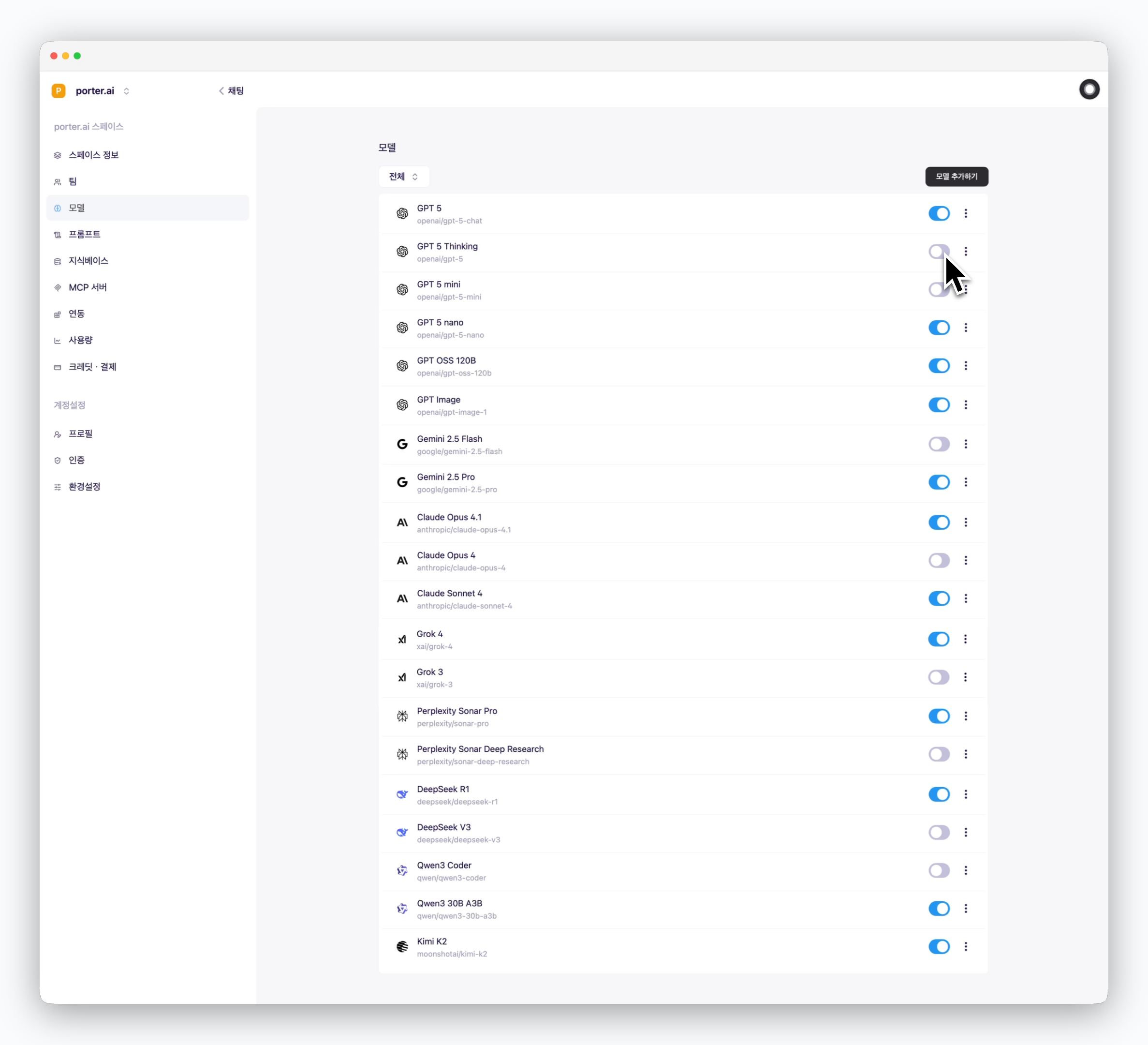 > `設定 > モデル`でAIサービスプロバイダーをクリックして使用したいモデルを有効化すると、スレッドで該当モデルを選択できます。
## スレッドデフォルトモデル設定
> `設定 > モデル`でAIサービスプロバイダーをクリックして使用したいモデルを有効化すると、スレッドで該当モデルを選択できます。
## スレッドデフォルトモデル設定
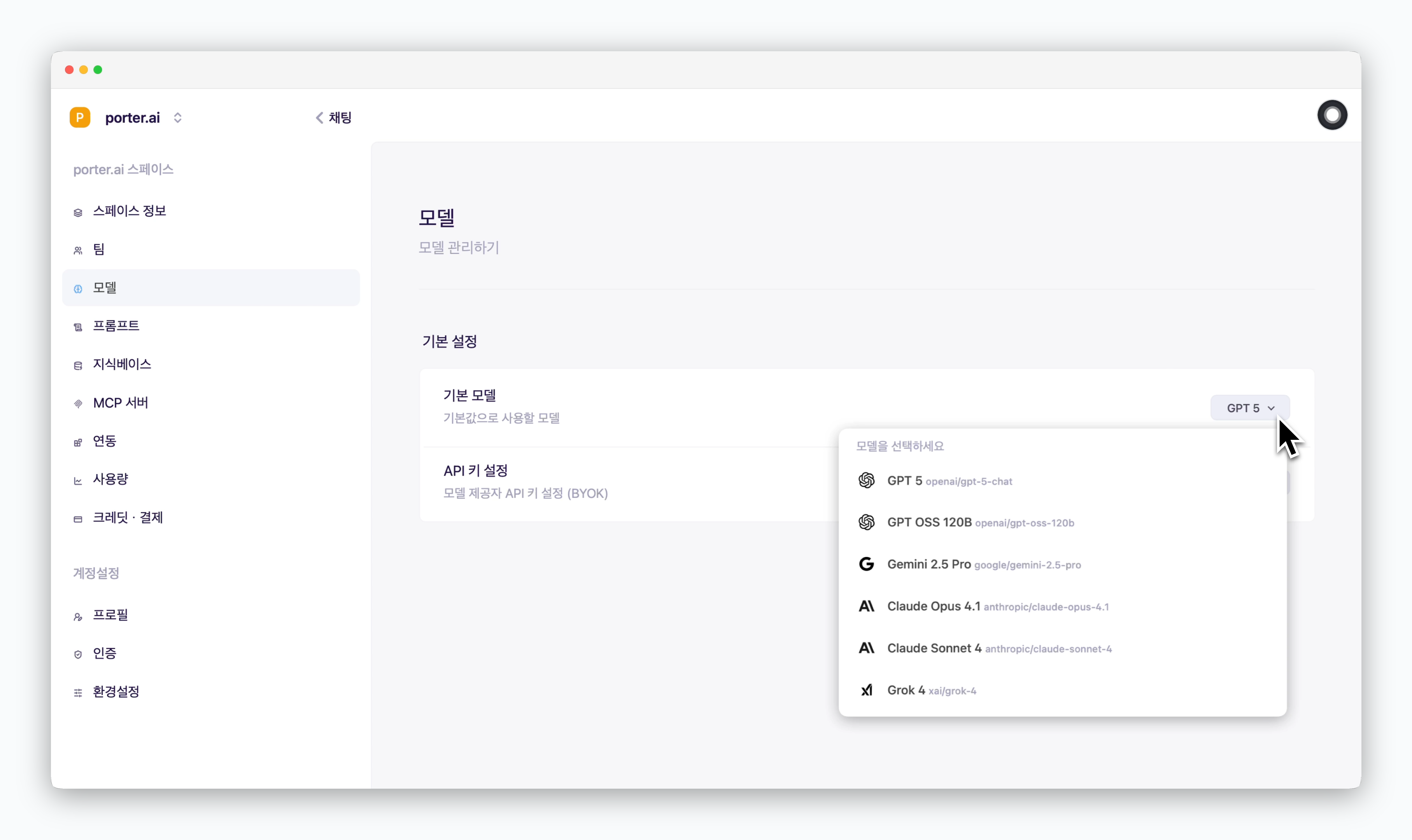 > デフォルトモデルセクションで、スレッド作成時にデフォルト値として使用するAIモデルを設定できます。
デフォルトモデルは、スレッドで使用可能なモデルの中から選択できます。
> デフォルトモデルセクションで、スレッド作成時にデフォルト値として使用するAIモデルを設定できます。
デフォルトモデルは、スレッドで使用可能なモデルの中から選択できます。