> ## Documentation Index
> Fetch the complete documentation index at: https://docs.getporter.ai/llms.txt
> Use this file to discover all available pages before exploring further.
# API
> AI 모델 제공사의 API 키를 연동해서 사용하는 방법에 관한 가이드입니다.
## API 키 등록하기
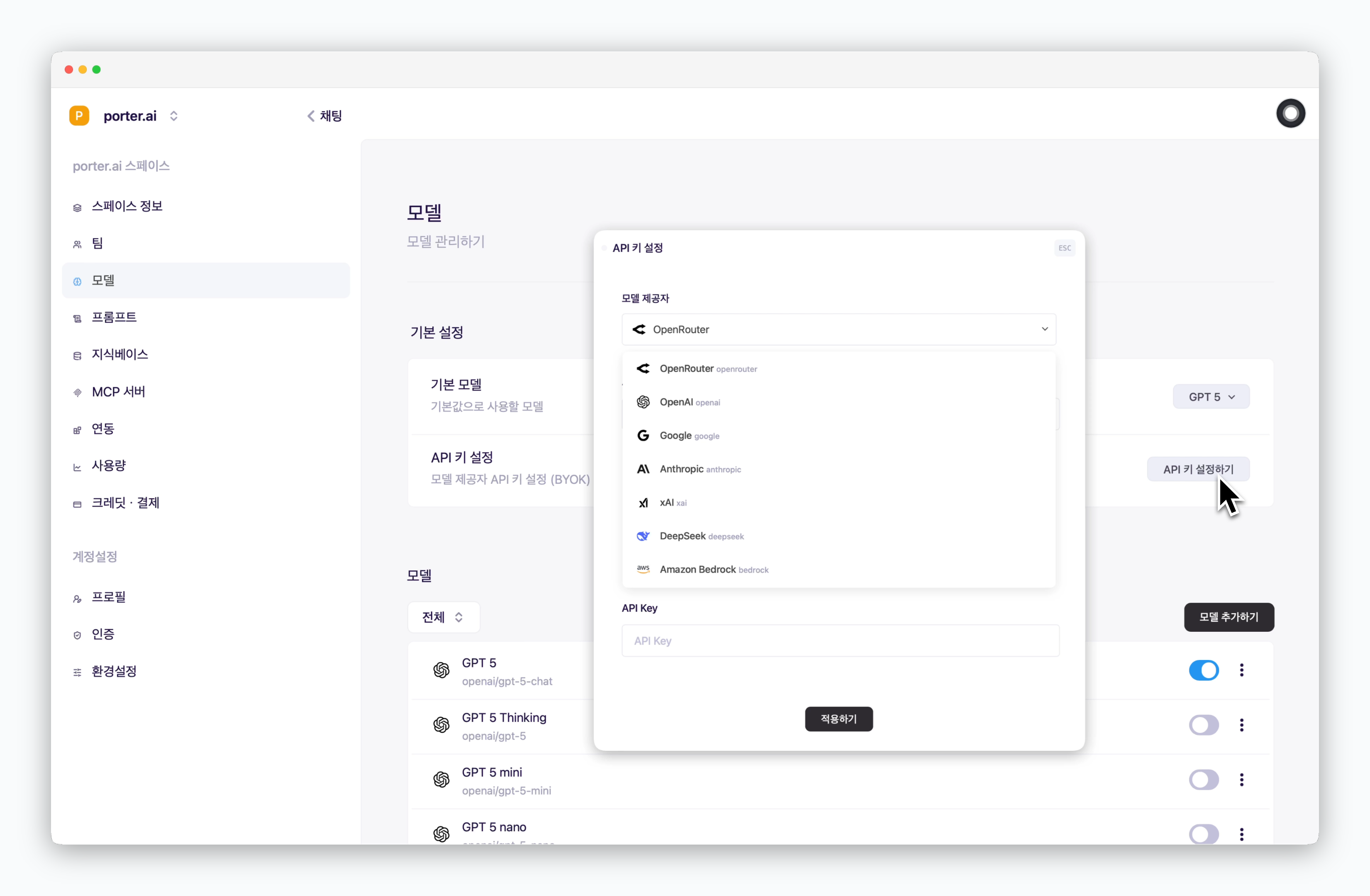 > `설정 > 모델`에서 `API 키 설정하기`를 클릭하고, 연동하려는 모델 제공자를 선택한 후 API 키를 입력해주세요.
## 모델 추가하기
> `설정 > 모델`에서 `API 키 설정하기`를 클릭하고, 연동하려는 모델 제공자를 선택한 후 API 키를 입력해주세요.
## 모델 추가하기
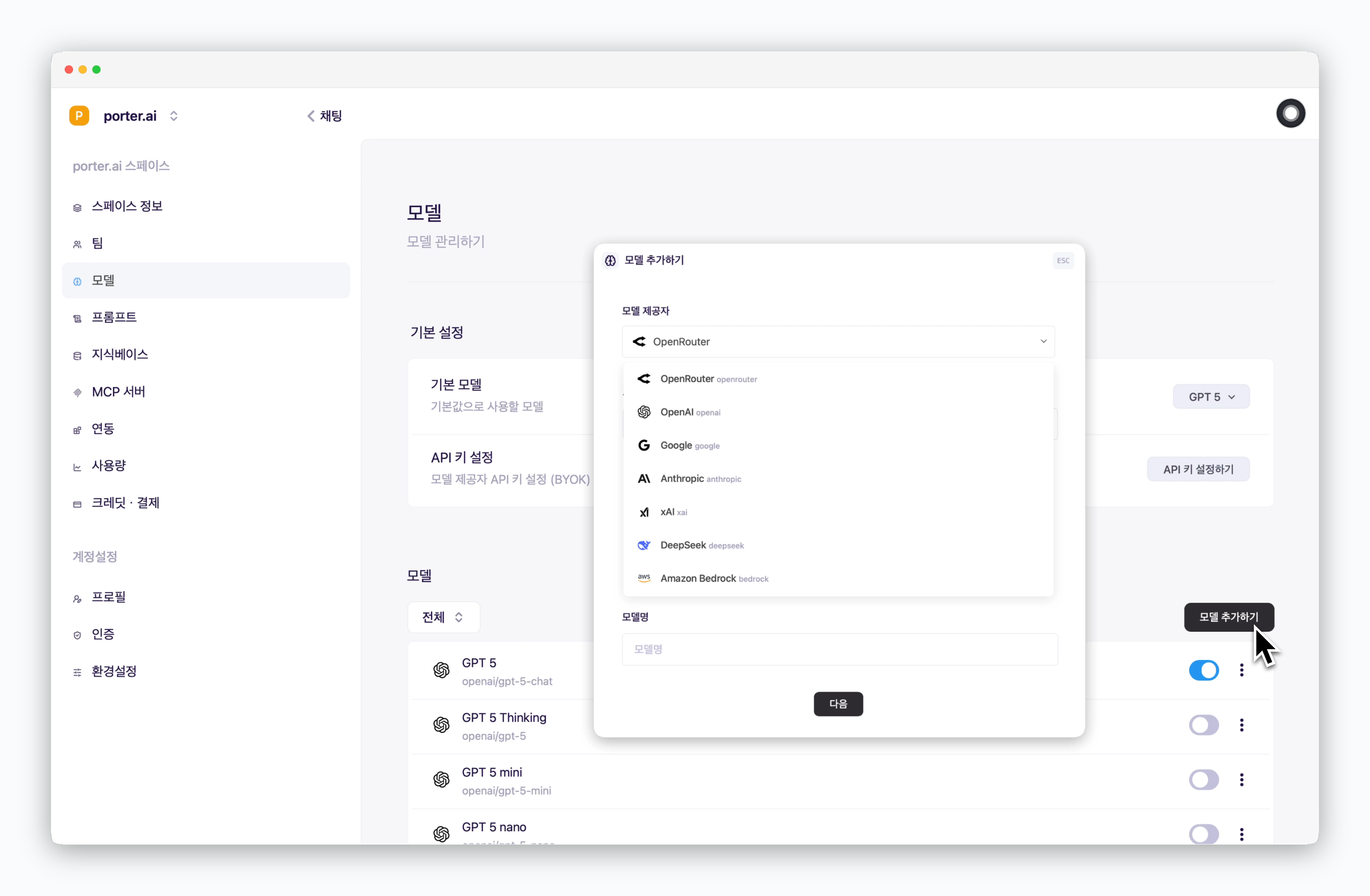 > `모델 추가하기`를 클릭한 후 API 키로 연동한 모델 제공자를 선택하고, 모델명을 입력하는 것으로 모델을 추가할 수 있습니다.
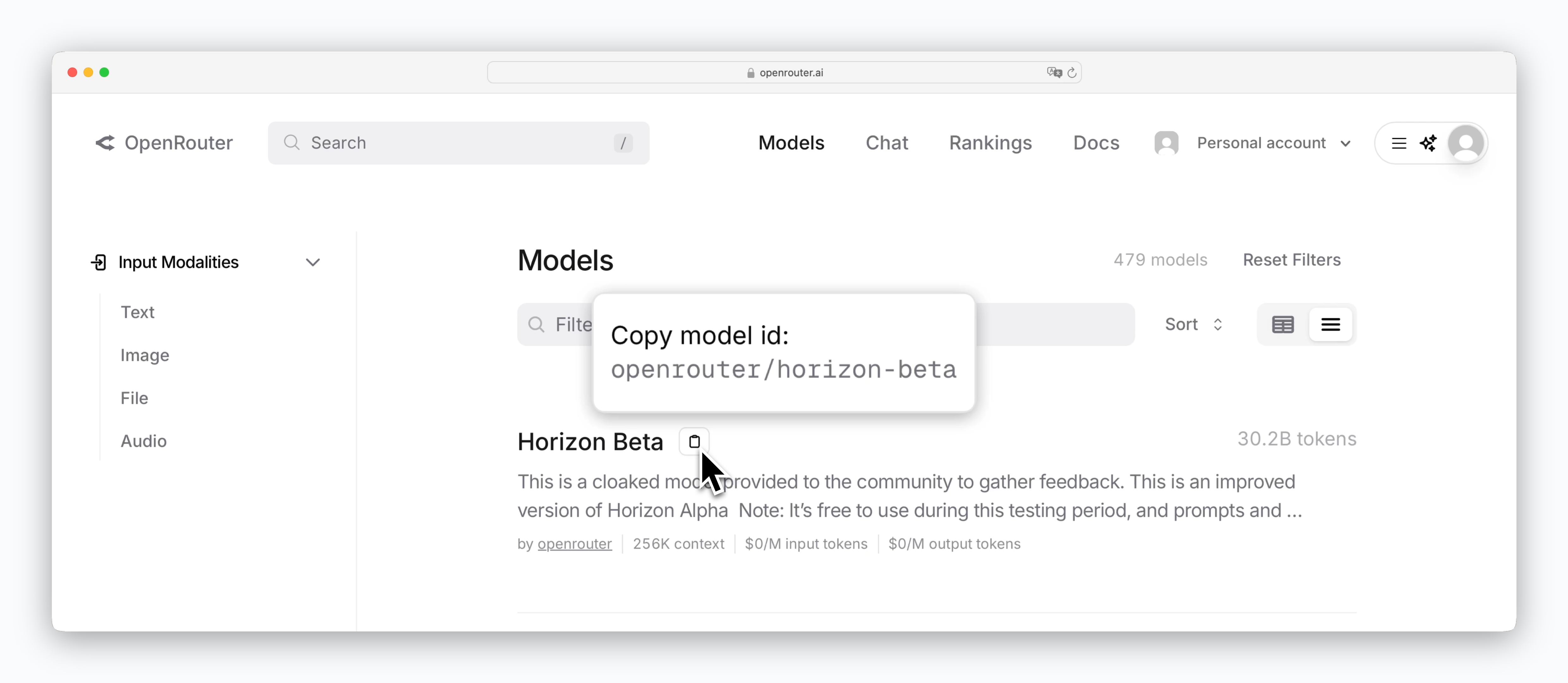
OpenRouter의 경우 moels 페이지에서 조회할 수 있는 `model id` 값처럼, 각 모델 제공사의 문서페이지에서 확인할 수 있는 모델명을 입력해주세요.
> `모델 추가하기`를 클릭한 후 API 키로 연동한 모델 제공자를 선택하고, 모델명을 입력하는 것으로 모델을 추가할 수 있습니다.
OpenRouter의 경우 moels 페이지에서 조회할 수 있는 `model id` 값처럼, 각 모델 제공사의 문서페이지에서 확인할 수 있는 모델명을 입력해주세요.
 ## 모델 사용하기
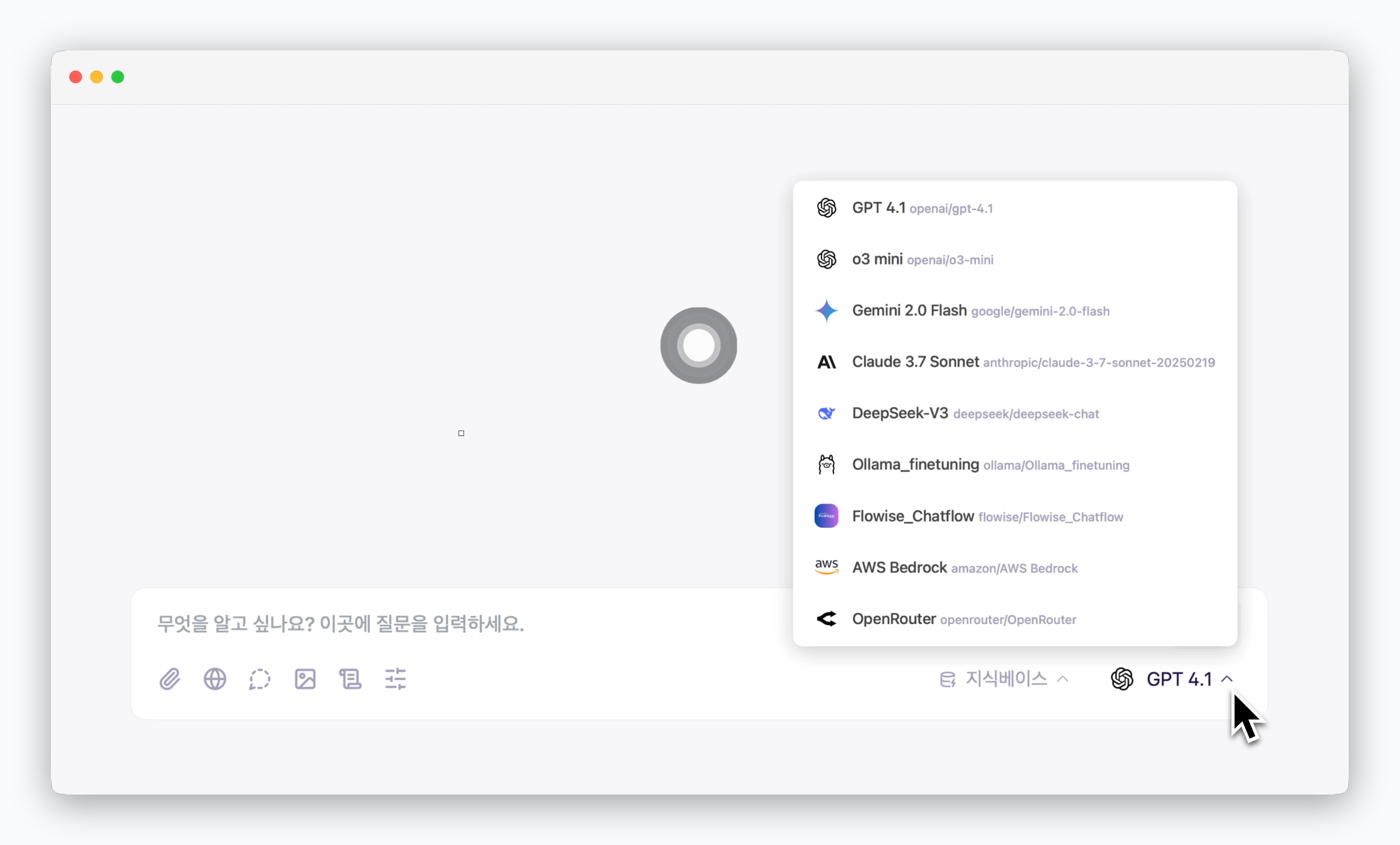 > 채팅창에서 추가한 모델을 선택한 후 사용할 수 있습니다.