> ## Documentation Index
> Fetch the complete documentation index at: https://docs.getporter.ai/llms.txt
> Use this file to discover all available pages before exploring further.
# 로그인 화면 브랜딩
> 로그인 화면 표시 정보를 설정합니다.
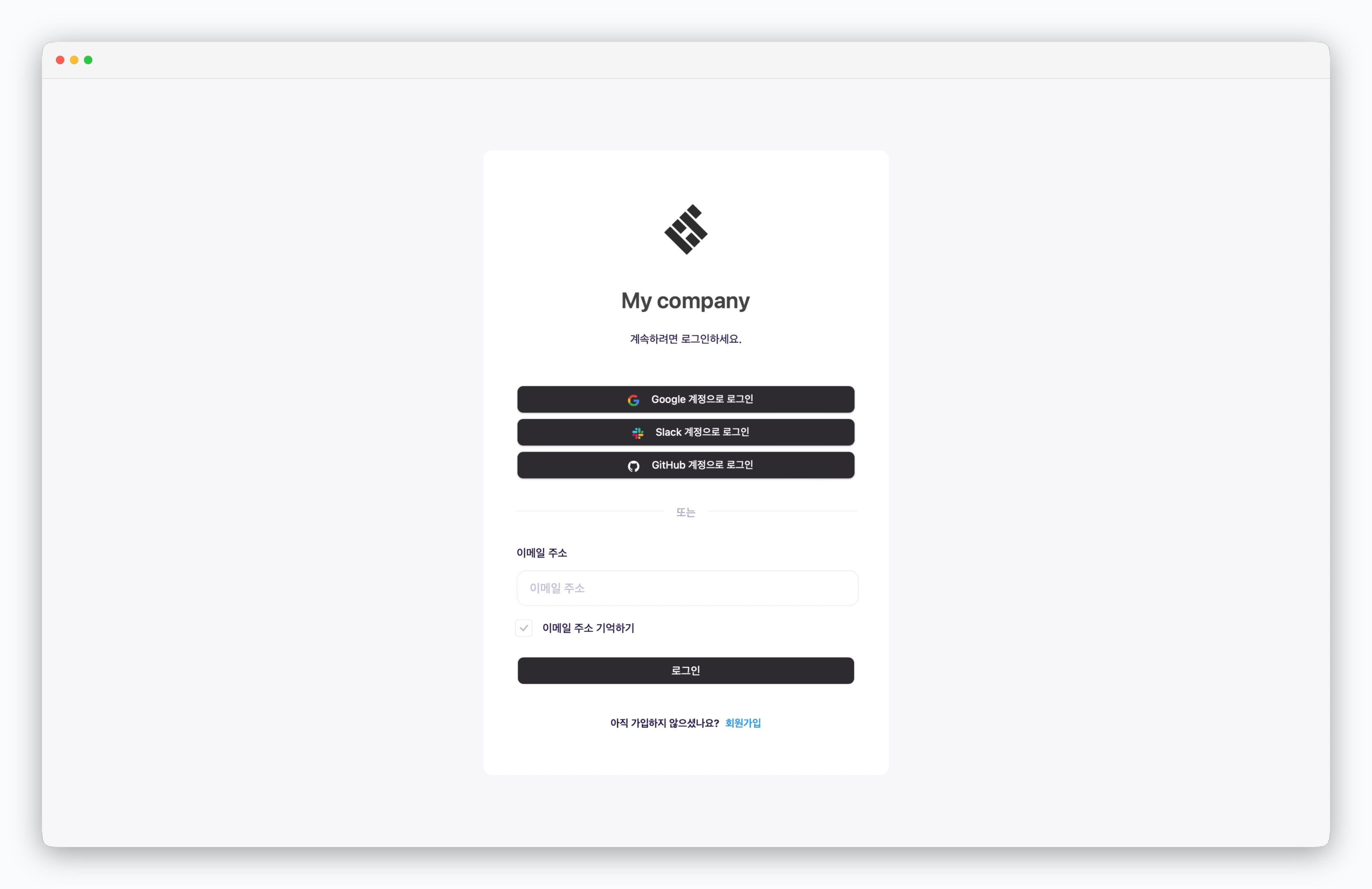
기업 또는 단체의 로고와 이름을 로그인 화면에 적용할 수 있습니다.
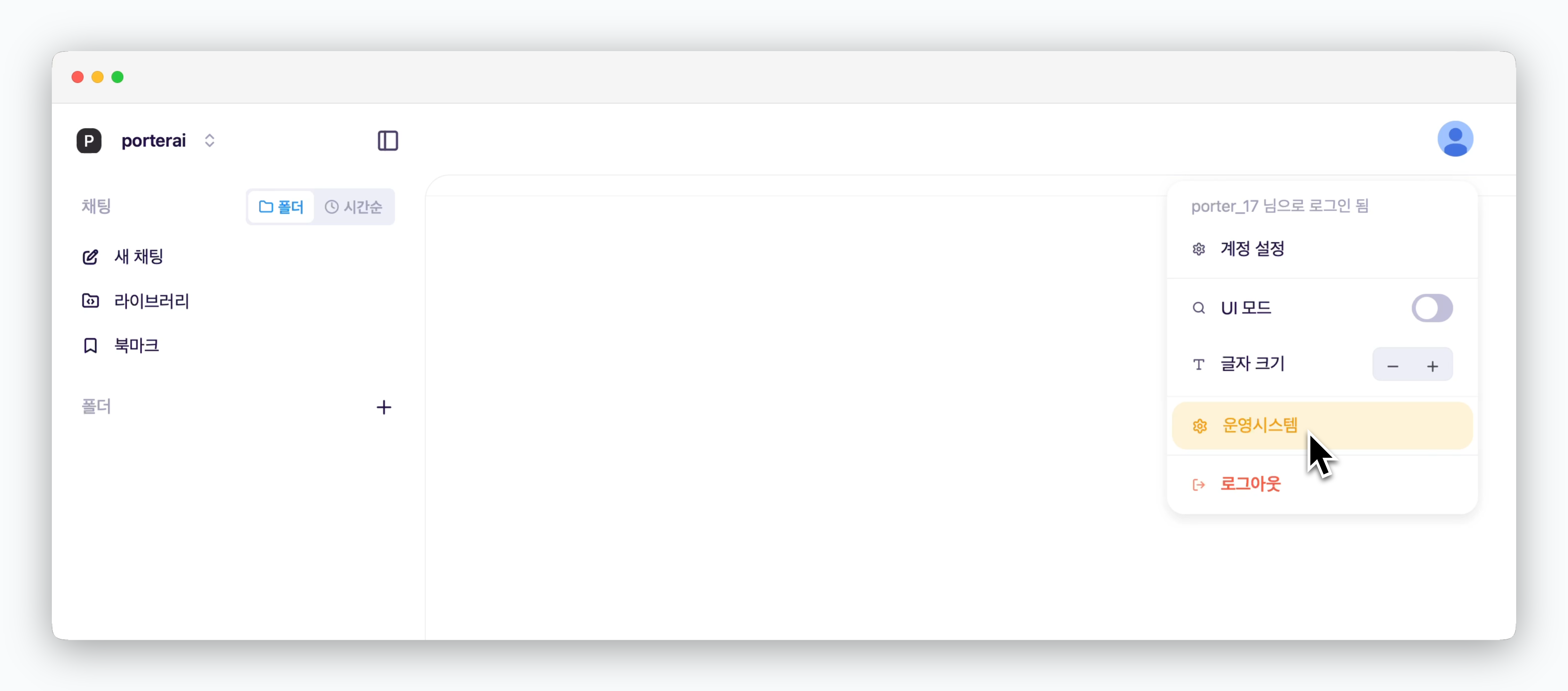 대시보드 우측 상단의 프로필 아이콘을 클릭하면 운영 시스템에 접속할 수 있습니다.
[운영 시스템 관리자 권한을 부여](/ko/enterprise/user-management#관리자-권한-부여)받은 사용자 계정으로만 접속 가능합니다.
대시보드 우측 상단의 프로필 아이콘을 클릭하면 운영 시스템에 접속할 수 있습니다.
[운영 시스템 관리자 권한을 부여](/ko/enterprise/user-management#관리자-권한-부여)받은 사용자 계정으로만 접속 가능합니다.
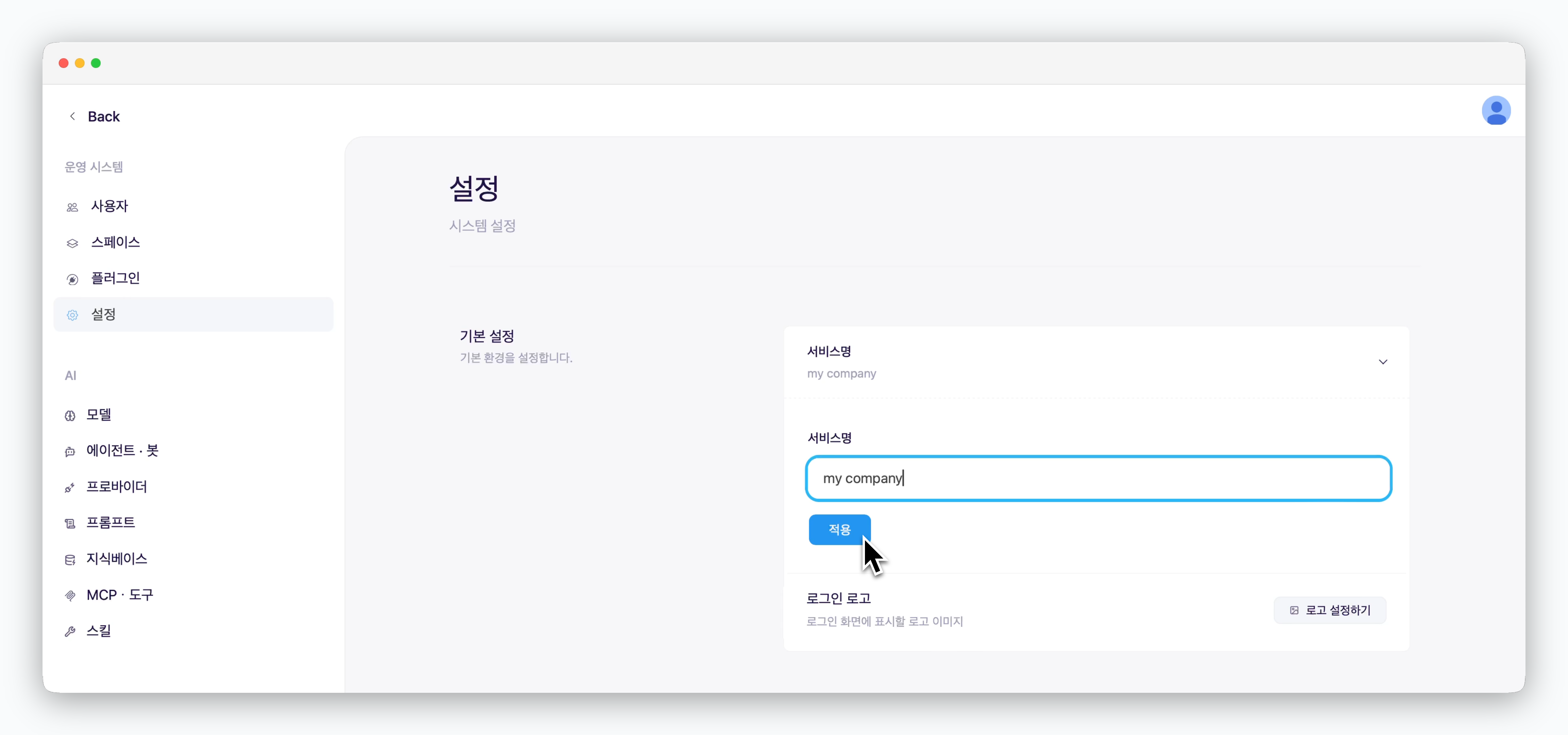 > `운영 시스템 > 설정 ` 페이지에서 서비스명과 로고 이미지를 변경할 수 있습니다.
변경된 이름이 로그인 화면에 적용됩니다
> `운영 시스템 > 설정 ` 페이지에서 서비스명과 로고 이미지를 변경할 수 있습니다.
변경된 이름이 로그인 화면에 적용됩니다