> ## Documentation Index
> Fetch the complete documentation index at: https://docs.getporter.ai/llms.txt
> Use this file to discover all available pages before exploring further.
# 폴더와 북마크
> 폴더 구조로 대화내역을 관리하고, 중요한 질문/답변을 북마크할 수 있습니다.
## 새 폴더 만들기
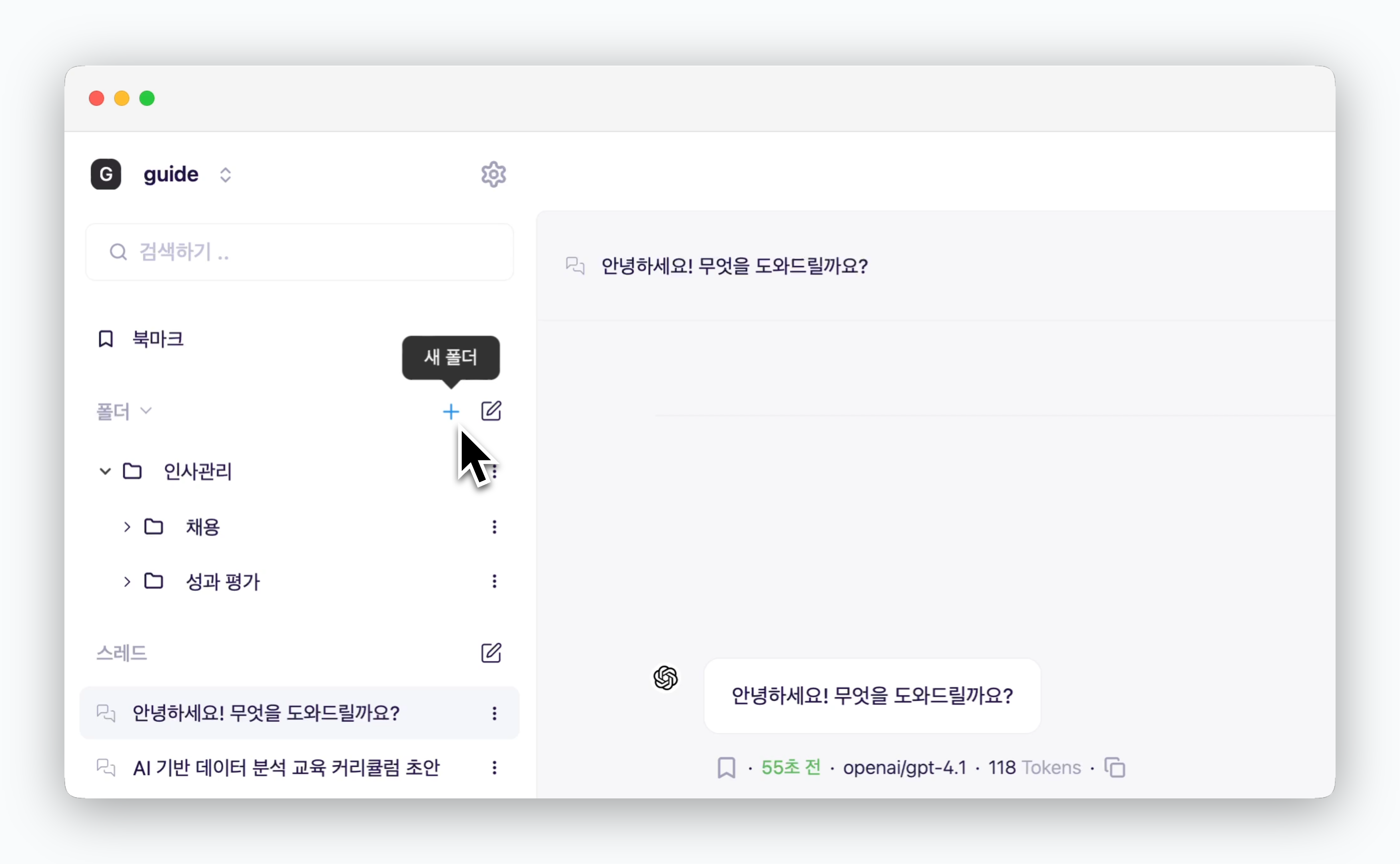 > 사이드바에서 아이콘으로 새 폴더를 생성할 수 있습니다. 생성된 폴더 오른쪽의 아이콘을 클릭하면 폴더의 이름을 변경하거나 삭제할 수 있습니다.
## 폴더에 스레드 추가
> 사이드바에서 아이콘으로 새 폴더를 생성할 수 있습니다. 생성된 폴더 오른쪽의 아이콘을 클릭하면 폴더의 이름을 변경하거나 삭제할 수 있습니다.
## 폴더에 스레드 추가
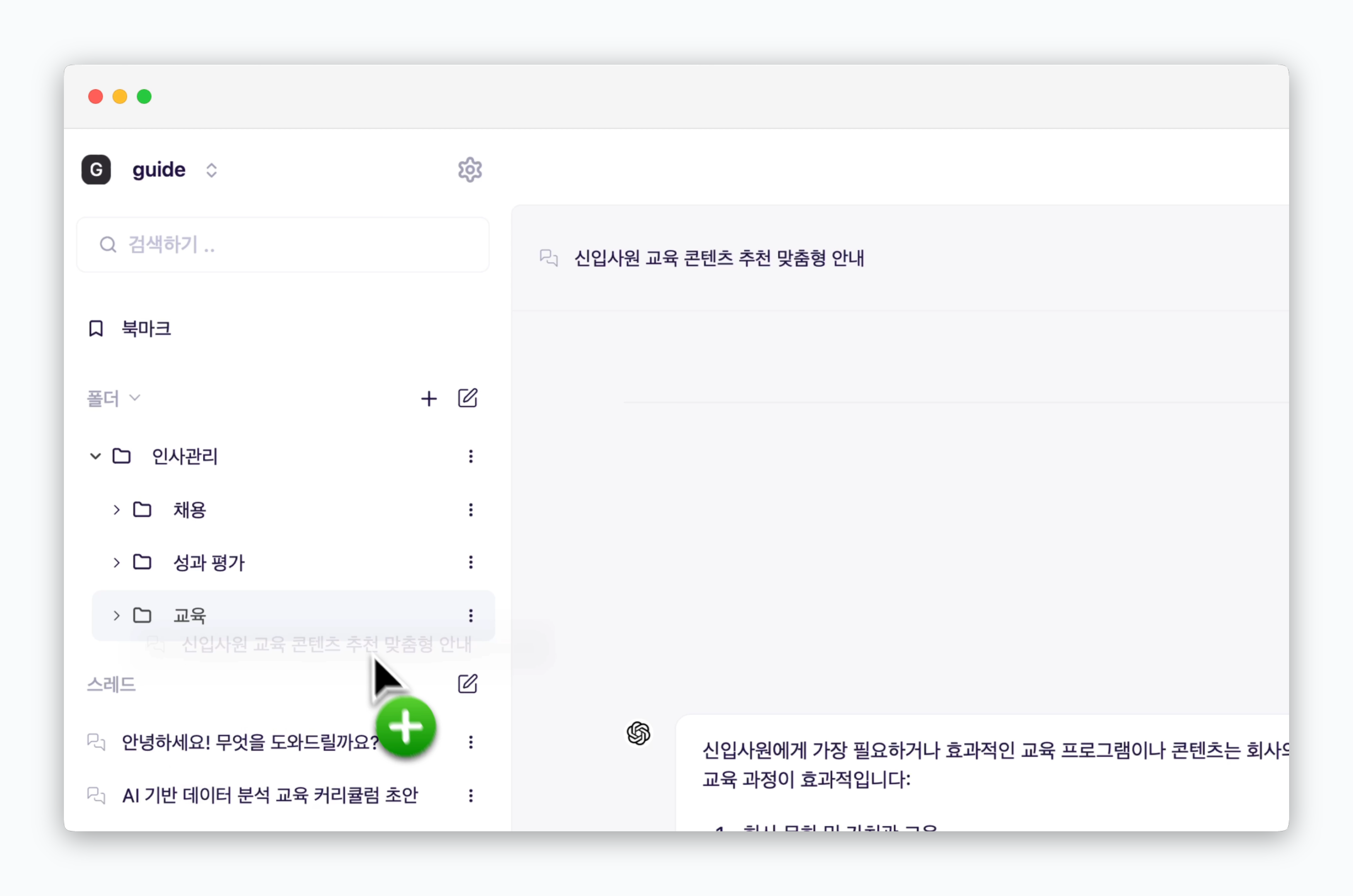 > 드래그앤 드롭 방식으로 스레드를 폴더에 추가하여 관리할 수 있습니다.
폴더도 드래그앤 드롭 방식으로 다른 폴더 하위에 두거나 상위에 위치시킬 수 있습니다.
## 북마크
> 드래그앤 드롭 방식으로 스레드를 폴더에 추가하여 관리할 수 있습니다.
폴더도 드래그앤 드롭 방식으로 다른 폴더 하위에 두거나 상위에 위치시킬 수 있습니다.
## 북마크
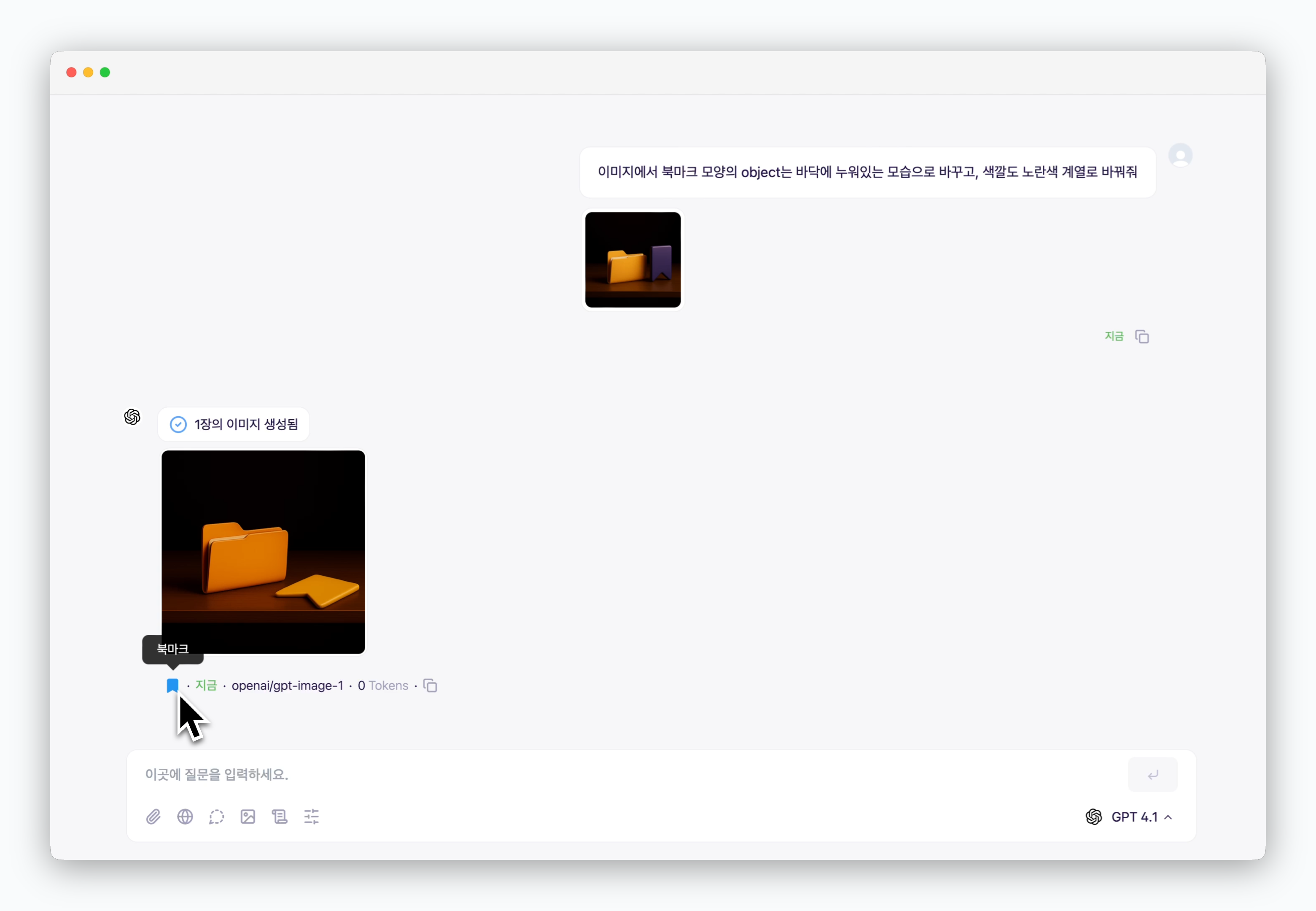 > AI 답변 아래의 아이콘으로 답변과 함께 질문을 북마크할 수 있으며, 북마크 페이지에서 북마크된 내용을 확인할 수 있습니다.
